 LeronX Shield
Trust on facts
Tests & trust
LeronX is new and still unknown. So we build trust the only honest way: an open method, test results, worked examples on the real app, and a direct list of what we can't do yet. What you won't find here, and won't until there are real users: made-up testimonials, "trusted by N people" counters, logos, ratings or awards.
Open test methodology
One live test is published here, with everything in it — including where we are slower. Earlier internal runs on older builds are not used.
The test
- Who: LeronX Shield 1.1.7 (unreleased test build, run on 12 November 2026 against a test server of the same version) and Perplexity Comet (answers of 11 November 2026).
- What: the same questions for both — a stock price, an SEC 10-Q figure, US CPI from the BLS, the latest F1 race, hosting and VPN prices, two reference topics, the gold price. Facts were checked against the primary sources.
- Excluded: questions whose answer depends on the visitor's IP address and region (air fares). LeronX got an ECB exchange-rate question instead; Comet has no answer for it, so it was not compared.
- Scoring: the answer to the question as asked, completeness, freshness and primacy of sources, honesty of the marks. Each side is judged against the facts of its own day; live prices are not compared across days. Speed counts only when the content is equal.
Results
- Correct answers: LeronX Shield 10 of 10; Comet 9 of 9 scored.
- False "✓ verified" marks: 0 for LeronX Shield (Comet has no such mark).
- By content, over the 9 shared questions: LeronX Shield better in 3, ties 6, Comet better in 0.
- Median answer time: about 45 s for LeronX Shield against about 22 s for Comet — we are roughly twice as slow.
This is one run by our own team on one machine; no one has checked us from the outside. Per-question data and screenshots are available on request: security@leronx.org.
Worked examples: we show, not tell
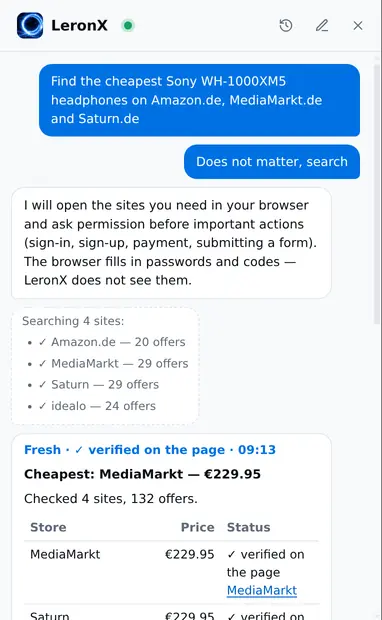
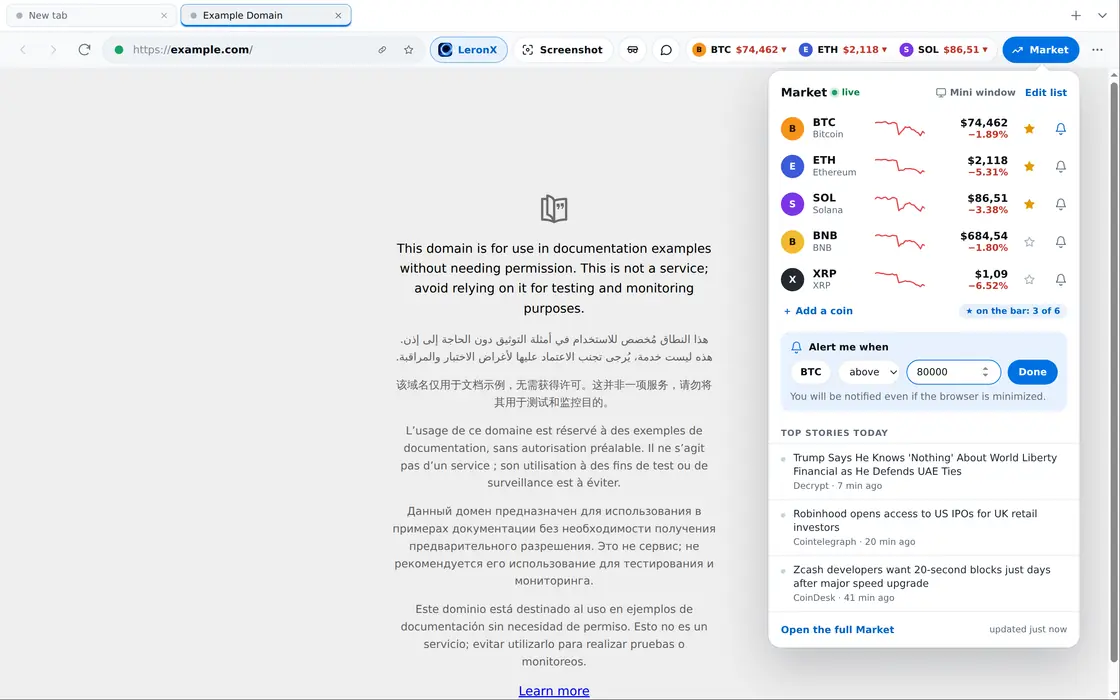
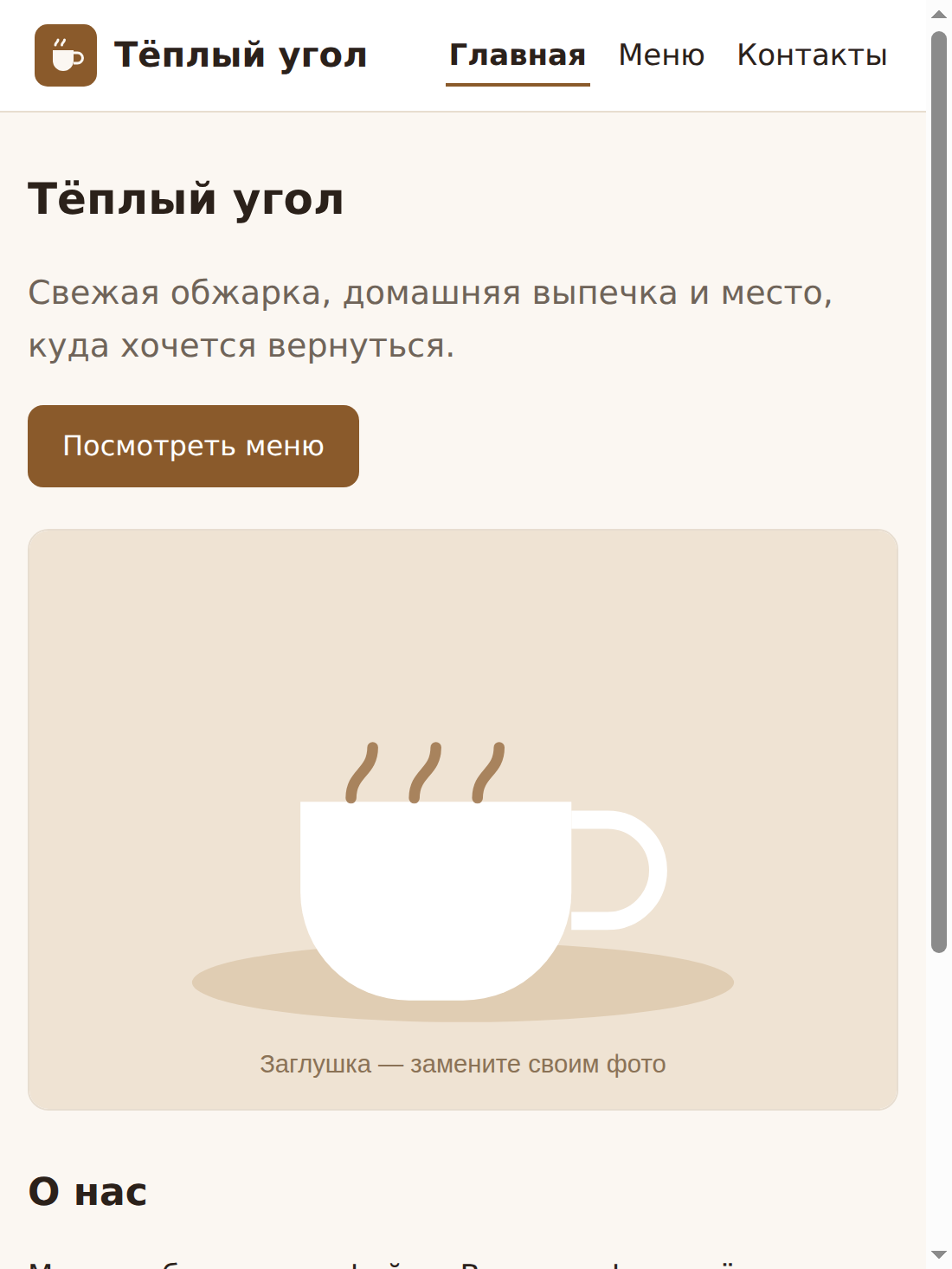
Screenshots of the real app finishing a task. Captured in the English interface; by default the browser is in Russian.
Question → answer with a ✓
A price watch firing
Project mode "do it for me"
A scam warning
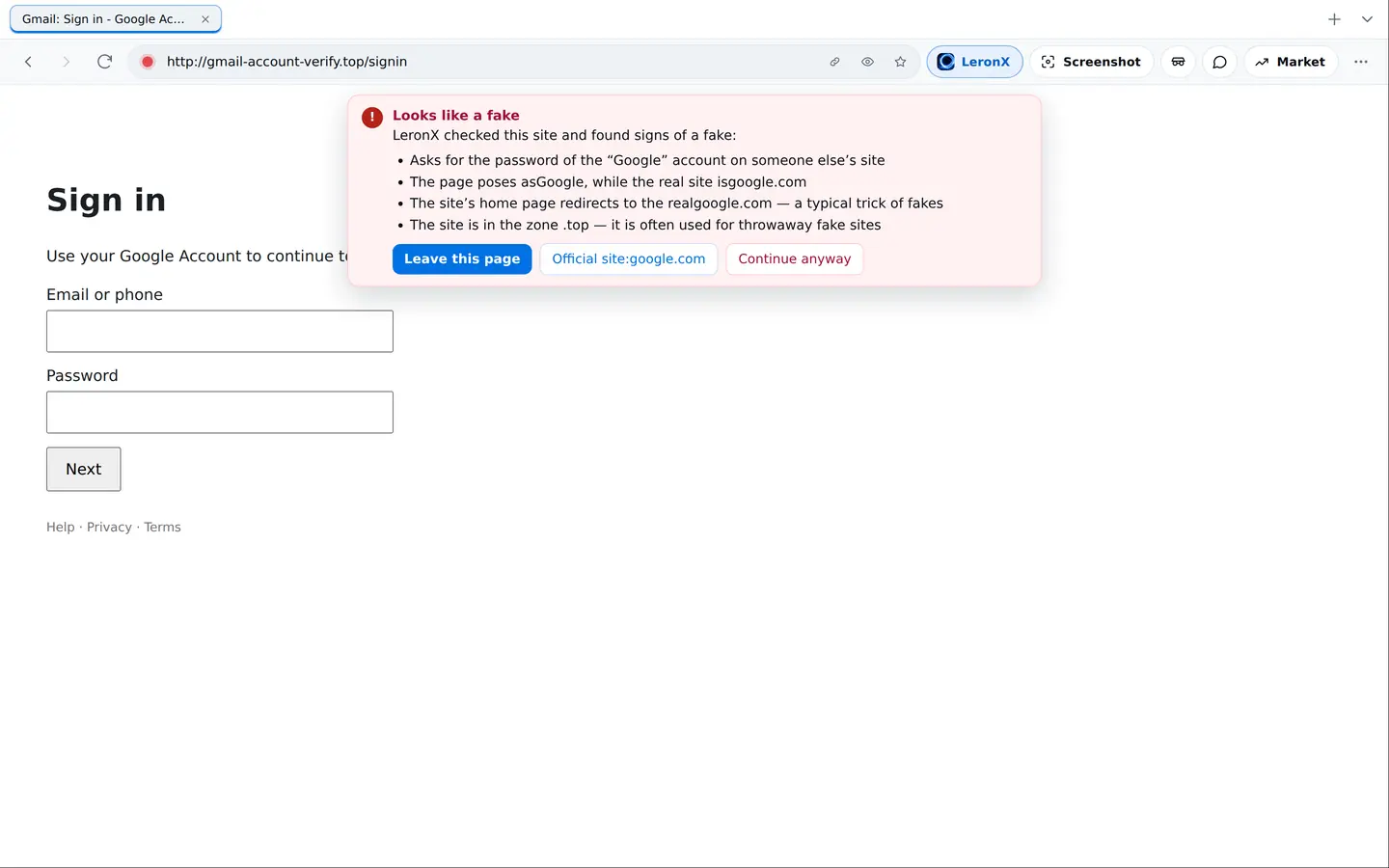
Scam scenes were captured on test pages we built ourselves; no real scam sites were opened. System dialogs were captured on Linux — they look different on Windows.
Data and security: what goes where
Short and to the point. The full per-feature list is on "What goes to the network" and Security.
Passwords and keys. Stored only on your computer. They never reach the AI.
Dangerous-address checks. Lists of known dangerous sites are matched locally; the optional Google Safe Browsing check (off by default) sends only a 4-byte hash prefix.
Your request and the text of the open task tabs go to the model in full. Anything you're not ready to show the AI — don't open in the task tab.
Payment, form submission, sign-in/sign-up, anything irreversible or outward — only with your explicit "yes", every time. The agent never enters card data at all.
An install number and IP go to our server for rate limits, even if the AI is off. In development: doing this only when the AI is used.
No usage analytics, crash reports or advertising IDs. On the site — no scripts, no cookies, no trackers.
About untrusted content. To the agent, page text is data, not commands. We test this on our own internal injection sets. It hasn't been checked externally, and no one has fully solved this problem yet — which is why important actions stay with you. Details and limits
Roadmap
What's in flight now. We promise no dates; the badges on the site flip as things ship.
- In final testing. Agent guardrails, local lists of dangerous sites, signed updates, bookmark/password import, a direct model connection with no chat storage.
- Finance list and portfolio — gold, stocks, currencies, crypto.
- Active anti-scam mode and deeper token/contract due-diligence on top of today's warnings.
- Dark theme, screenshot OCR, "explain this page", micro-calculators, coupons and autofill.
- Notifications (sound/email/SMS/call) and 24/7 cloud watching; run code, compare products.
- SSH/code and RDP modules, image generation, video summaries, read-aloud/translate selection, semantic history.
What we can't do yet (honest limits)
- The product is young. Not released yet. No external security audit yet. Expect more bugs than in mature browsers.
- Answers slower than search-based AIs. The agent opens real pages. In our live test of 12 November 2026, LeronX Shield 1.1.7 (unreleased test build) answered all 10 scored questions correctly, but its median answer time was about 45 s against about 22 s for Perplexity Comet.
- Weak on fresh live data and captchas. "Now" sports/odds/prices and sites with captchas are our weak spot. The agent doesn't bypass captchas.
- Windows only. No macOS or phones, no promised dates.
- In the test build, AI chat is stored on our server for now. Before the public launch we move to a direct connection with no storage.
- The ✓ marks were sometimes wrong in our tests. They lower the risk, but don't remove your own check before you pay.
- This is not an antivirus or "protection against every kind of scam". It's a set of specific checks; a new trick can slip through.
Reproducibility
The method and results are published above so they can be re-checked; per-question data and screenshots are available on request. All numbers are from one run of the stated test build on one machine. If you see a figure or a claim that doesn't add up, that's a bug on our side, not "by design".
About the images on this page: LeronX Shield is not yet released. Images are screenshots from pre-release development builds and design mock-ups; the released product may look and behave differently.